AI Implementation Checklist for Small Businesses | Beritaja

AI can help a small business save time, improve workflows, organize information, and support employees. But successful AI adoption rarely starts with choosing a tool. It starts with identifying a business problem and designing a process around it.
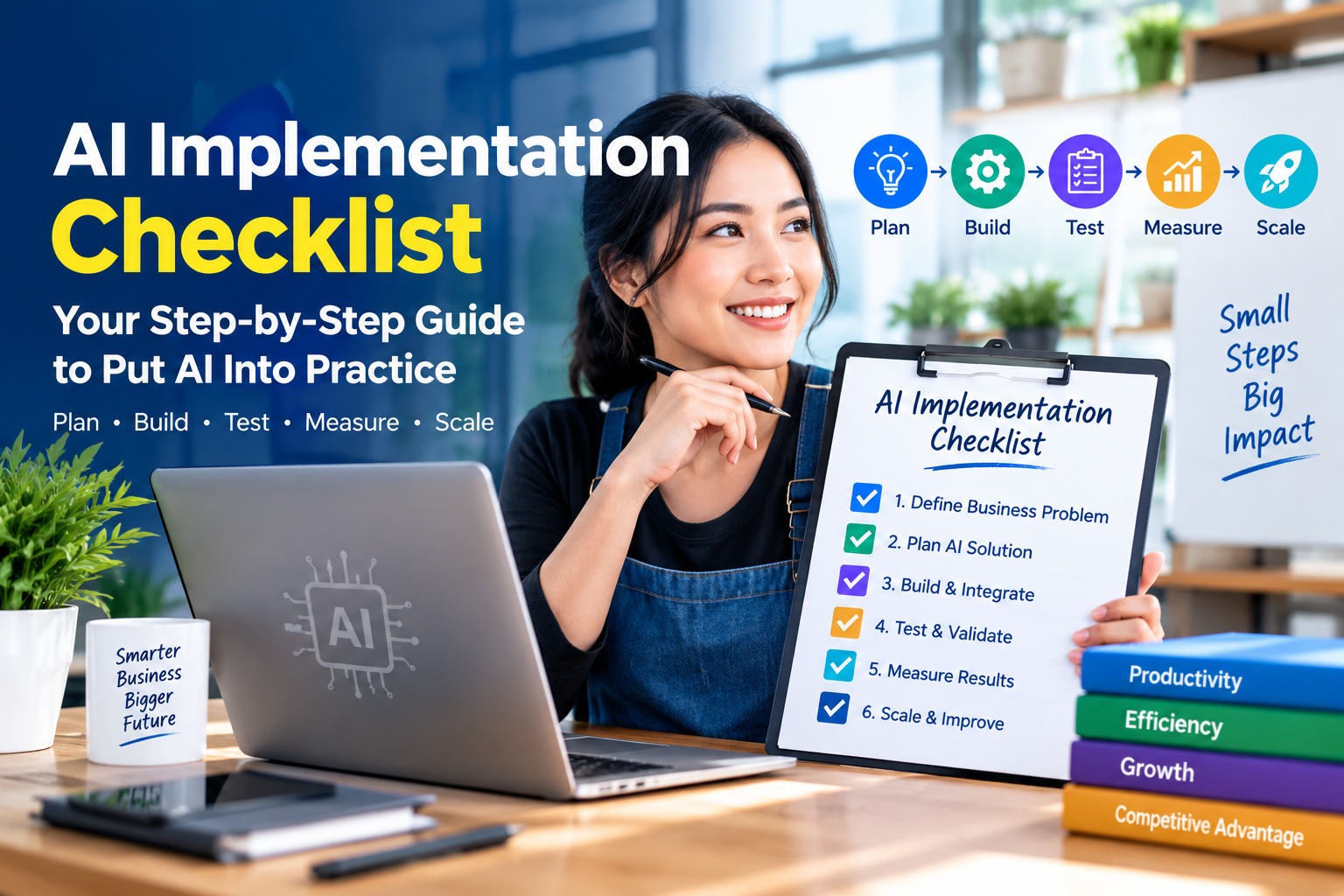
This AI implementation checklist gives small businesses a practical framework for deciding where AI fits, preparing the workflow, protecting business information, testing a use case, measuring results, and deciding whether to improve or scale it.
If you are new to implementation, start with our AI implementation guide for the broader process of putting AI into practice.
What Is an AI Implementation Checklist?
An AI implementation checklist is a structured set of questions, decisions, and actions that helps a business move from an AI idea to a controlled business workflow.
It is different from a list of AI tools.
A tool tells you what technology is available. An implementation checklist helps determine where the technology belongs, how it should be used, who remains responsible, how the result will be measured, and what happens when something goes wrong.
That distinction is important for small businesses because resources are often limited. Time spent experimenting with an AI tool is still a business cost, even when the software itself is inexpensive or free.
A practical checklist therefore considers several dimensions:
- business problem;
- desired outcome;
- AI suitability;
- workflow design;
- data and information;
- privacy and security;
- tool selection;
- human oversight;
- quality control;
- cost;
- measurement;
- failure handling; and
- ongoing review.
The central question is therefore not simply “Can AI do this?”
Why Small Businesses Need an AI Checklist
AI adoption can look deceptively simple. An employee opens an AI application, enters a request, receives an answer, and immediately sees a possible productivity benefit.
Operational implementation is different.
Once AI becomes part of a real business process, questions appear:
- What information can employees provide to the system?
- Who checks the output?
- What happens if the answer is incorrect?
- How much time does review take?
- What happens when the AI tool is unavailable?
- How much does the workflow actually cost?
- How will the business know whether the process improved?
Without clear answers, AI can create a new layer of work instead of removing one.
A checklist creates a repeatable way to evaluate those questions before a small experiment becomes a larger operational dependency.
For businesses developing a broader AI strategy, the checklist should also connect to AI governance and strategy, particularly when the workflow involves sensitive information, important decisions, or customer-facing outputs.
AI Implementation Checklist at a Glance
| Stage | Core Question |
|---|---|
| Problem | What business problem are we solving? |
| Outcome | What measurable improvement do we want? |
| AI Fit | Is AI actually appropriate? |
| Task | What exactly should AI do? |
| Data | Does the workflow have suitable information? |
| Protection | How will privacy and security be handled? |
| Tool | Does the selected tool fit the workflow? |
| Workflow | Where does AI act and where does a person act? |
| Quality | How will outputs be checked? |
| Pilot | Can the use case be tested on a small scale? |
| Measurement | Did the process actually improve? |
| Scale | Should the workflow expand, change, or stop? |
AI Readiness Assessment
Before selecting an AI tool, assess whether the business is ready to implement the particular use case.
| Readiness Question | Ready | Needs Work |
|---|---|---|
| Is the business problem clearly defined? | ☐ | ☐ |
| Is the current process understood? | ☐ | ☐ |
| Is the desired outcome measurable? | ☐ | ☐ |
| Is the AI task clearly defined? | ☐ | ☐ |
| Are required information sources identified? | ☐ | ☐ |
| Have privacy and security requirements been considered? | ☐ | ☐ |
| Is someone responsible for reviewing important outputs? | ☐ | ☐ |
| Can success be measured? | ☐ | ☐ |
If several answers fall under “Needs Work,” preparation may be more useful than immediate deployment.
1. Define the Business Problem
Start with the business problem rather than the AI product.
Statements such as “we should use AI for marketing” or “we need an AI chatbot” describe a technology direction, not necessarily a business problem.
Instead, identify a specific friction point:
- employees spend too much time drafting repetitive material;
- customer inquiries require repeated manual responses;
- meeting information is difficult to organize;
- internal documents take too long to summarize;
- staff repeatedly perform the same information-processing task.
2. Define the Desired Outcome
Once the problem is clear, define what improvement would make the implementation useful.
For example, “use AI to improve productivity” is difficult to measure.
A more useful objective could be:
- reduce the time required to prepare a recurring draft;
- reduce repetitive administrative work;
- increase the number of routine inquiries handled per employee;
- improve consistency of first drafts;
- shorten the time needed to organize internal information.
Establishing a baseline before implementation makes later comparison more meaningful.
3. Decide Whether AI Is Appropriate
Not every problem needs AI.
AI can be useful for workflows involving tasks such as drafting, summarizing, classification, information extraction, language transformation, or generating options that can be reviewed.
However, a conventional software feature, simple automation, process redesign, or manual workflow may sometimes be more appropriate.
Ask:
- Is the task repetitive enough to justify improvement?
- Does AI provide a meaningful capability that another approach does not?
- Can the output be reviewed?
- Can errors be detected?
- Is the expected benefit large enough to justify implementation effort?
The objective is not maximum AI adoption. It is useful process improvement.
4. Define the Exact AI Task
Broad goals should be broken into specific tasks.
| Broad Goal | Specific Task |
|---|---|
| Improve customer service | Draft responses to routine questions for employee review |
| Improve marketing | Create first drafts of product descriptions |
| Improve administration | Summarize recurring meeting notes |
| Improve internal knowledge access | Organize and summarize approved business documents |
A narrowly defined task is easier to test and measure than an undefined objective such as “automate marketing with AI.”
5. Check Data and Information Readiness
Before implementation, determine what information the AI workflow will receive.
Check:
- where the information comes from;
- whether it is current;
- whether it contains errors;
- who maintains it;
- what information is required to produce a useful result;
- what information should not enter the AI workflow.
Information quality matters because an AI system can produce a polished response based on incomplete or inaccurate inputs.
6. Review Privacy and Security
Determine what business information employees are allowed to submit to an AI service before the workflow goes live.
Potentially sensitive information can include:
- customer information;
- employee information;
- financial information;
- confidential business plans;
- supplier information;
- proprietary documents;
- authentication credentials;
- other sensitive business information.
Businesses should also establish appropriate account security, access controls, authentication practices, backups, software updates, and procedures for protecting business information.
For a broader strategic perspective, connect this stage with the site's AI governance and strategy resource.
7. Select the AI Tool Based on the Workflow
Tool selection should come after the task is defined.
| Evaluation Area | Question |
|---|---|
| Capability | Can it perform the required task? |
| Usability | Can employees use it consistently? |
| Integration | Does it fit the existing workflow? |
| Information handling | Are its data-handling practices suitable for the use case? |
| Access control | Can the business manage who can use it? |
| Cost | Is the overall cost reasonable for the expected value? |
| Reliability | Can the workflow tolerate incorrect outputs? |
| Exit path | Can the business change tools if requirements change? |
Do not confuse popularity with suitability. The right tool is the one that fits the actual business process and control requirements.
8. Map the Human-AI Workflow
Define exactly where AI acts and where humans remain responsible.
A simple workflow could be:
- Employee provides approved information.
- AI produces a draft or analysis.
- Employee checks the result.
- Employee corrects, approves, or rejects the output.
- Approved output enters the business process.
- Problems are recorded and reviewed.
This is more robust than treating AI as an independent decision-maker.
9. Create an Output Review Standard
“Someone will check it” is not enough. The review process should define what the reviewer actually checks.
- Is the information accurate?
- Are important details missing?
- Does the output match the approved task?
- Does it contain unsupported or invented information?
- Does it comply with company requirements?
- Is confidential information exposed?
- Does the situation require specialist review?
For customer-facing or consequential outputs, the review threshold may need to be higher than for low-risk internal drafting.
10. Start With a Small Pilot
A pilot limits the cost of learning.
Choose one use case with:
- a clearly defined problem;
- a manageable scope;
- a measurable outcome;
- an assigned owner;
- a practical review process.
Do not begin by changing every department at once. A focused pilot provides evidence about what works and what needs redesign.
11. Test Before Expanding
Test realistic cases rather than relying on one successful demonstration.
Include:
- normal cases;
- ambiguous requests;
- incomplete information;
- unusual situations;
- known difficult cases;
- cases where the correct action is to involve a human.
Record recurring errors. The purpose of testing is not merely to prove that AI can work. It is to discover the conditions under which the workflow becomes unreliable.
12. Train the People Using AI
AI implementation changes employee workflows, so users need more than access to the software.
Training should explain:
- what the AI system is approved to do;
- what it is not approved to do;
- what information can be submitted;
- how outputs should be reviewed;
- when human approval is required;
- how problems should be reported.
The goal is consistent use, not simply teaching employees how to generate impressive AI outputs.
13. Document the Workflow
Document the implementation so that the process does not depend entirely on one employee.
Record:
- purpose;
- approved use case;
- tool;
- input requirements;
- review standard;
- approval requirements;
- known limitations;
- failure procedure;
- workflow owner;
- measurement method.
Good documentation turns an experiment into a repeatable process.
14. Measure Success
Define measurements before declaring the implementation successful.
| Metric | Example |
|---|---|
| Time | Time required to complete the task |
| Volume | Tasks completed within a given period |
| Quality | Outputs requiring substantial correction |
| Cost | Total cost per completed task |
| Adoption | Consistent use by intended employees |
| Business outcome | Change in the original business objective |
When the business is evaluating financial value, a ROI calculator can help organize the relationship between implementation investment and measurable return.
For a broader discussion of financial evaluation, connect this measurement process with the site's guide on how to calculate AI ROI.
15. Review the Total Cost
The price of an AI subscription is only one part of implementation cost.
Consider:
- software subscriptions;
- usage charges;
- integration;
- training;
- employee review time;
- maintenance;
- security controls;
- workflow redesign;
- correction of incorrect outputs.
For a deeper financial planning discussion, see the guide on AI costs for small businesses.
When the implementation has a meaningful upfront or ongoing cost, a break-even point calculator can help estimate the level of business activity required to recover the relevant investment.
If AI changes operating costs or revenue while other business variables remain relevant, a profit margin calculator can provide another financial measure to monitor.
This distinction matters because a low software price does not necessarily mean a low total cost.
16. Define the Failure Path
Every AI workflow should answer one important question:
Possible responses include:
- human review;
- manual completion;
- requesting additional information;
- escalating to a specialist;
- rejecting the AI output;
- temporarily stopping the workflow.
A failure path is part of implementation design, not an optional emergency feature.
17. Establish an Escalation Rule
Employees should know when they must stop relying on the normal AI workflow.
Escalation may be appropriate when:
- the output conflicts with trusted information;
- the request falls outside the approved use case;
- sensitive information is involved;
- the output could materially affect a customer or financial decision;
- an important claim cannot be verified;
- the AI behaves unexpectedly.
The simpler the escalation rule, the easier it is for employees to apply consistently.
18. Check Employee Adoption
A technically successful AI workflow can still fail operationally if employees do not use it correctly.
Look for:
- employees avoiding the workflow;
- employees creating unofficial alternatives;
- inconsistent review practices;
- confusion about responsibility;
- excessive correction time;
- employees using the system outside approved situations.
These signals can indicate that the process, training, or tool needs improvement.
19. Review the Workflow After Launch
Implementation does not end when the AI tool is deployed.
Review periodically:
- output quality;
- cost;
- usage;
- business outcomes;
- privacy and security practices;
- employee feedback;
- new failure patterns;
- changes to the underlying business process.
A workflow should evolve when evidence shows that the original design is no longer appropriate.
20. Decide Whether to Scale
Scaling should follow evidence from the pilot.
Possible outcomes include:
- continue the current workflow;
- improve the workflow;
- change the tool;
- expand the use case;
- keep the use case limited;
- stop using AI for that task.
There is no requirement that every AI experiment become a permanent system. A well-run pilot can also provide useful evidence that a particular approach should not be expanded.
That is a successful implementation decision because the business learned before committing more resources.
The 5P AI Implementation Framework
The entire checklist can be simplified into five connected questions:
| 5P | Question |
|---|---|
| Problem | What business problem are we solving? |
| Process | Where exactly does AI enter the workflow? |
| Proof | What evidence will show whether it works? |
| Protection | How will data, quality, privacy, and risk be managed? |
| Progress | What should happen after the pilot? |
The framework creates a useful mental model:
This helps prevent the common mistake of evaluating AI only by what a tool can generate.
AI Use-Case Priority Matrix
If a business has multiple AI ideas, compare expected impact with implementation effort.
| Category | Meaning | Potential Next Step |
|---|---|---|
| High impact / Low effort | Potentially useful improvement with manageable implementation | Consider for an early pilot |
| High impact / High effort | Potentially valuable but requires substantial preparation | Investigate and plan |
| Low impact / Low effort | Easy to test but potentially limited value | Use selectively |
| Low impact / High effort | Significant implementation burden relative to expected value | Reconsider the use case |
This is a prioritization aid, not a substitute for detailed financial, operational, security, or compliance analysis.
AI Implementation Decision Tree
1. Is there a clearly defined business problem?
↓
No → Define the problem first.
Yes ↓
2. Is AI appropriate for the task?
↓
No → Consider a simpler alternative.
Yes ↓
3. Are the required information and controls ready?
↓
No → Prepare the workflow.
Yes ↓
4. Can the use case be tested on a small scale?
↓
No → Reduce the scope.
Yes ↓
5. Run pilot → Measure → Review → Improve or Scale.
Before-and-After AI Workflow Example
Consider a small business that receives repetitive customer questions.
Before AI
- Customer sends a question.
- Employee reads the message.
- Employee searches internal information.
- Employee writes a response.
- Employee sends the response.
AI-Assisted Workflow
- Customer sends a question.
- Approved information is supplied to the AI workflow.
- AI drafts a response.
- Employee checks accuracy and context.
- Employee edits, approves, or rejects the draft.
- Approved response is sent.
- Unusual or incorrect cases are recorded for review.
The important improvement is not simply that AI generates text. The process has been redesigned so that AI performs a defined task while a person remains responsible for the appropriate final action.
Common AI Implementation Mistakes
Starting With the Tool
Choosing software before defining the business problem can result in technology being used simply because it is available.
Automating Too Much Too Soon
Large-scale automation can magnify workflow weaknesses. A small pilot provides an opportunity to discover those weaknesses first.
Treating AI Output as Automatically Correct
AI output may require factual, contextual, and business review depending on the task.
Ignoring Review Time
If employees spend nearly as much time correcting AI output as they previously spent doing the task, the expected efficiency gain may be smaller than anticipated.
Measuring AI Activity Instead of Business Value
The number of prompts or AI-generated documents does not by itself demonstrate that the business improved.
Forgetting the Failure Path
A workflow needs a defined response for incorrect, incomplete, or unsuitable outputs.
Scaling Before the Process Is Stable
Expansion should follow evidence that the workflow is useful and manageable.
For a related discussion of implementation pitfalls, see common AI adoption mistakes.
AI Implementation Checklist for Very Small Businesses
A business with only a few employees does not need an elaborate process for every low-risk experiment. It does need clear basic rules.
A lightweight version of this checklist can ask:
- What problem are we solving?
- What exact task should AI perform?
- What information will enter the workflow?
- Is that information appropriate to share?
- Who reviews the result?
- What happens if the result is wrong?
- How will improvement be measured?
- What does the complete workflow cost?
- Who owns the process?
- When will it be reviewed again?
This provides a practical starting point without forcing a small organization to adopt unnecessary complexity.
When AI May Not Be the Right Solution
A mature implementation strategy includes the option not to use AI.
Consider another solution when:
- a conventional software feature already solves the problem;
- manual work is inexpensive and reliable;
- the process is too unpredictable for the proposed AI workflow;
- the required information is unavailable or unreliable;
- verification requires more effort than the original task;
- the expected benefit is too small to justify implementation complexity.
The goal is not to make a business use AI everywhere. The goal is to improve business processes where AI provides a meaningful and manageable contribution.
Printable AI Implementation Master Checklist
Use this condensed checklist as a practical implementation worksheet.
Before Implementation
- ☐ Business problem clearly defined
- ☐ Current workflow documented
- ☐ Desired outcome defined
- ☐ Baseline measurement established
- ☐ AI suitability evaluated
- ☐ Exact AI task defined
- ☐ Required information identified
- ☐ Information quality reviewed
- ☐ Privacy requirements reviewed
- ☐ Security requirements reviewed
- ☐ Candidate tools evaluated
- ☐ Total cost considered
- ☐ Workflow owner assigned
During Implementation
- ☐ Small pilot launched
- ☐ Human review process defined
- ☐ Output quality standard created
- ☐ Normal cases tested
- ☐ Difficult cases tested
- ☐ Failure cases tested
- ☐ Escalation procedure documented
- ☐ Employees trained
- ☐ Workflow documentation completed
- ☐ Problems and corrections recorded
After Implementation
- ☐ Results measured against baseline
- ☐ Output quality reviewed
- ☐ Actual cost reviewed
- ☐ Employee adoption reviewed
- ☐ Business outcome evaluated
- ☐ Privacy and security controls reviewed
- ☐ Recurring errors identified
- ☐ Workflow improvements documented
- ☐ Next review date established
- ☐ Scale, improve, maintain, or stop decision made
Final AI Implementation Decision Check
Before moving from pilot to broader adoption, review the following:
| Question | Status |
|---|---|
| Does the workflow solve a clearly defined business problem? | ☐ Yes ☐ No |
| Is there evidence that the process improved? | ☐ Yes ☐ No |
| Is output quality acceptable? | ☐ Yes ☐ No |
| Can employees operate the workflow consistently? | ☐ Yes ☐ No |
| Are privacy and security requirements addressed? | ☐ Yes ☐ No |
| Is appropriate human oversight in place? | ☐ Yes ☐ No |
| Is there a failure and escalation path? | ☐ Yes ☐ No |
| Does the business understand the total cost? | ☐ Yes ☐ No |
If important answers remain “No,” improve the implementation before expanding its scope.
Frequently Asked Questions
What is an AI implementation checklist?
An AI implementation checklist is a structured set of steps for evaluating, preparing, testing, deploying, measuring, and reviewing an AI-supported business workflow.
What should a small business check before implementing AI?
Start with the business problem, desired outcome, AI suitability, specific task, information requirements, privacy, security, tool selection, human oversight, cost, testing, and measurement.
Do small businesses need AI governance?
Small businesses benefit from proportionate governance. The level of control should reflect the particular use case, information involved, potential consequences of errors, and operational complexity.
Should a small business automate an entire workflow with AI?
Not necessarily. A limited pilot with defined human responsibilities can help determine where AI provides useful value before a workflow is expanded.
How do you measure AI implementation success?
Compare the AI-assisted process with an appropriate baseline using measures such as time, quality, cost, volume, adoption, and the original business objective.
What should happen when AI produces an incorrect result?
The workflow should have a defined failure path, such as human review, correction, manual completion, escalation, or rejection of the output.
Is AI always the right solution for business automation?
No. Conventional automation, existing software, process redesign, or manual procedures may sometimes solve the underlying problem more simply.
How should a small business start implementing AI?
Start with one clearly defined and manageable use case. Establish the desired outcome, test the workflow, review results, measure the impact, and use the evidence to determine the next step.
Conclusion: Use the AI Checklist Before You Scale
Successful AI implementation is not about adding as many AI tools as possible. It is about designing a reliable business process around a clearly defined use case.
A practical AI implementation checklist follows a logical sequence:
This sequence helps a small business distinguish experimentation from operational adoption.
The strongest implementation decisions are not necessarily the ones that use the most AI. They are the ones where the business understands why AI is being used, what it is responsible for, what humans remain responsible for, how success is measured, and what happens when the system fails.
Start small. Measure honestly. Protect business information. Keep appropriate human oversight. Improve the workflow based on evidence. Then decide whether scaling makes sense.
For the broader AI ecosystem, continue exploring AI for small businesses and the related implementation, governance, budgeting, and ROI resources across the Beritaja AI cluster.